Exciting Partnership Announcement with Collaboration Systems
Change Vision, Inc. proudly announces our partnership with Collaboration Systems, a leading provider of systems engineering and product management solutions.

Change Vision, Inc. proudly announces our partnership with Collaboration Systems, a leading provider of systems engineering and product management solutions.
Change Vision, Inc. proudly announces our partnership with NORASI, a leading Systems Engineering consulting and training provider in Thailand.

On Friday, April 19th, 2024, our offices will be closed for the entire day due to internal events. This means that our customer support, sales, and technical departments will be unavailable to respond to your inquiries on this day.
On Sunday, March 17, 2024, from 1:00 PM to 2:00 PM JST, we’ll be performing a crucial infrastructure upgrade to enhance your experience.
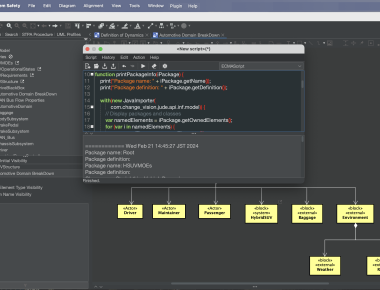
Join us as we unveil the latest suite of updates to Astah Professional, Astah UML, Astah SysML, and Astah System Safety—each designed to significantly enhance your modeling capabilities and efficiency.

We will be closing our office for New years holidays:
Dec.28 (Tue) – Jan.8 (Mon)
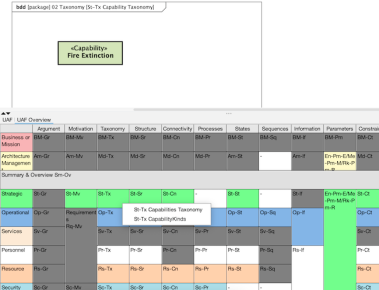
Today, I am excited to introduce a plugin that simplifies the process of describing architecture models based on the Unified Architecture Framework (UAF) in Astah System Safety.
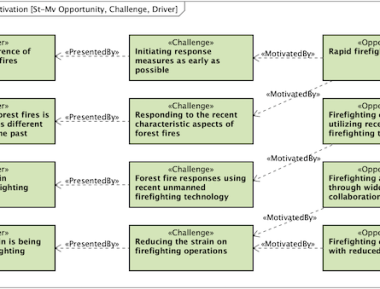
In the previous articles, we provided an overview of Unified Architecture Framework (UAF) and delved into its Domain Metamodel. With this post, we’ll explore the “viewpoints” defined in UAF, starting with a dive into the Strategic Viewpoint, a central element in the UAF viewpoints.
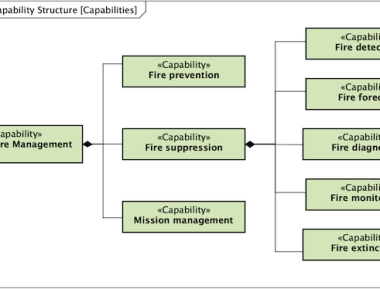
Welcome back to our 5-minute UAF (Unified Architecture Framework) Introduction series.
Today, we will explore what the Domain Metamodel is.
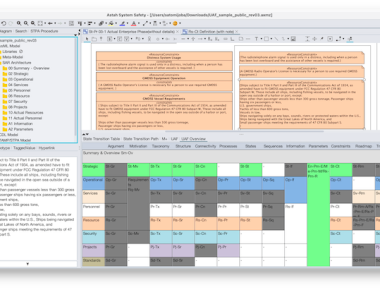
We’re thrilled to share some big news: next month, we’ll be releasing the software update for our MBSE tool – Astah System Safety – along with a complimentary plug-in for the Unified Architecture Framework (UAF).
If you’re new to UAF or seeking to broaden your understanding, you’re in the right place!
 Astah in 5min